

Shopify ShopStable
Built to sell and ship products Built for quotes, bookings, and local jobs
Hours of setup and theme tweaking A professional site in an afternoon
Monthly fee before you add anything Free to start
Booking and CRM need paid apps Quote inbox and CRM included
You drive all your own traffic Found in the local marketplace
See the full comparison
Wix ShopStable
A blank canvas to design yourself Prebuilt for local service businesses
Advanced lead tools cost extra Quote inbox and CRM included
A website, but no local marketplace A website plus a local marketplace
You drive all your own traffic Found by nearby customers
Add-ons stack up your bill The essentials in one plan
See the full comparison
Angie's List ShopStable
A directory profile, not a website A real website on your own domain
Lead prices vary by trade and season One flat rate per lead
Annual contracts to cancel Free to start, no contract
Your brand lives on their site Your brand, your storefront
No website builder Full website builder included
See the full comparison
Thumbtack ShopStable
Lead prices set dynamically One flat rate per lead
A profile on their platform A real website on your own domain
Built around their marketplace A website plus a local marketplace
They keep your reviews and data Your customers and reviews are yours
No website builder Full website builder included
See the full comparison
Pricing
List your business

Creating Your Account

Getting started with ShopStable takes just a few minutes. Here's how to create your account and set up your profile.

Sign Up
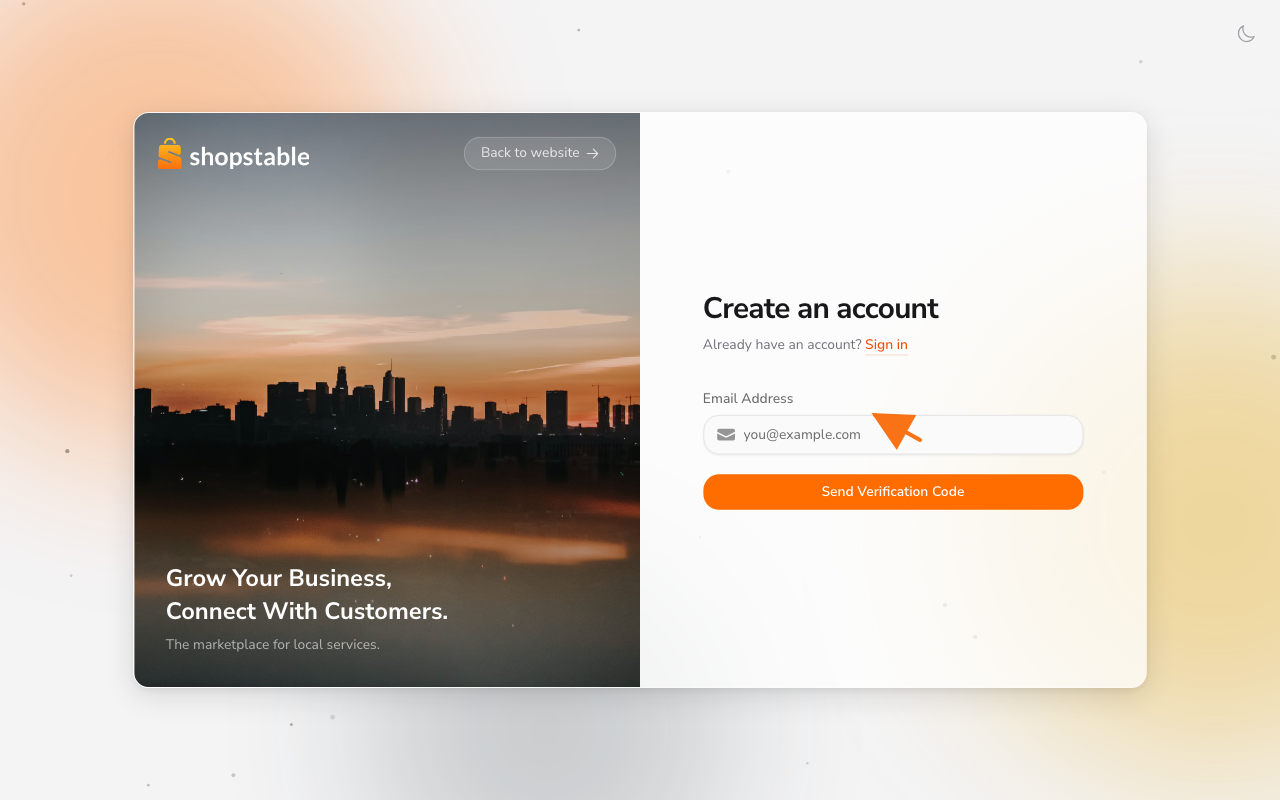
The sign-up form on /register — enter your email to receive a verification code.

Visit shopstable.com and click Get Started or go straight to /register. ShopStable uses a passwordless-first sign-up:

  1. Enter your email address.
  2. Click Send Verification Code — we'll email you a code.
  3. Enter the code on the next screen.
  4. Set your name and password to finish creating the account.

That's it — no email link to chase, no extra steps.

Complete Your Profile

Once you're signed in, finish your profile from Account → Profile Details. We recommend adding:

  • A profile photo
  • Your phone number (for account recovery)
  • Your preferred contact method

Next Steps

With your account created, you're ready to:

  • Set up your first business — Add your business details and start reaching customers
  • Explore the marketplace — Browse services and businesses in your area
  • Choose a plan — Select the subscription plan that fits your needs

If you run into any issues during sign-up, visit our Support page to contact our team.

Still have questions?

Contact Support
We use cookies to improve your experience. By continuing to use this site, you consent to our use of cookies. See our Privacy Policy for details.